Purchasing
Purchase orders that reach the store at the right cost.
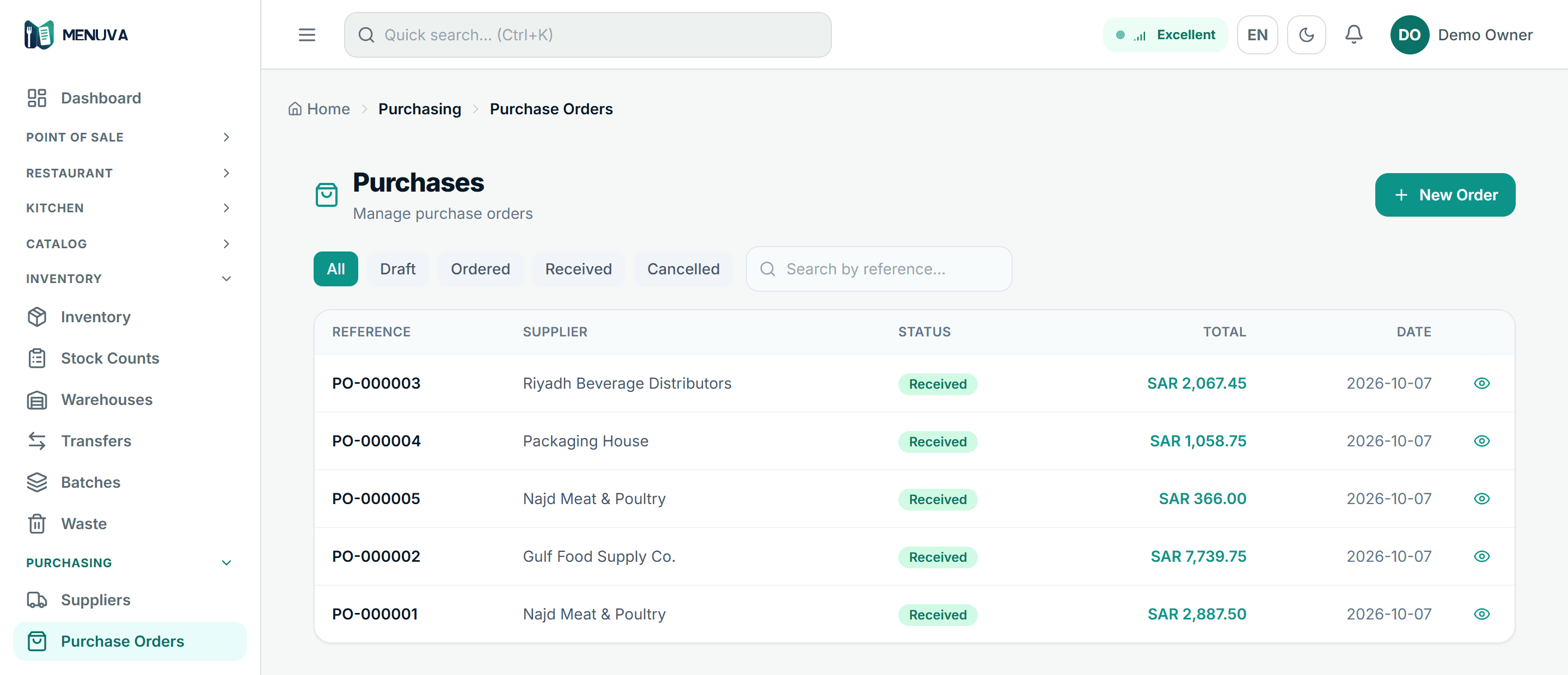
A purchase order per supplier names where it will be received; on receipt the quantity enters that location, the cost updates at what you actually paid, the journal posts, and the order becomes a supplier bill and a payment.
What happens today
You buy from suppliers on paper invoices while the cost in the system stays old. Goods go into "stock" in general, and nobody can say which store actually received them.
What changes with MENUVA
A purchase order per supplier with its items, quantities and prices, naming the warehouse or branch that will receive it. When the order is received the quantity enters that location, the item's cost updates from what you actually paid, and the journal entry is posted. The order then becomes a supplier bill and a payment.
Stock flow
From the purchase order to the report
01Purchase
A purchase order naming where it is received.
02Warehouse and stock
Receipt enters the location and updates the average cost.
Leaves: Location balance
03The recipe
The dish's ingredients and quantities, costed by the server.
04The sale
The dish sells at the branch.
05Consumption
The ingredients come off the selling branch's stock.
Leaves: Cost of sales
06Reporting
Stock movement and value, and each item's margin.
A correct cost that reaches the profit on every dish immediately.
Dish cost follows the real purchase price at once.
Goods land in the right store, not in "stock" in general.
From purchase order to accounts payable without re-keying.
What it covers
- Suppliers and orders
- An order per supplier with its items and purchase prices.
- Supplier bill and payment
- From the purchase order to accounts payable and its ageing.
- Cost updated
- Item cost from what you actually paid.
- Received into a store
- The quantity enters the store you chose.
Part of the same workflow
- Stock and cost →MENUVA keeps every item's balance per location — a branch store or a warehouse — and writes every movement to a ledger that cannot be edited. A sale draws its recipe's ingredients from the selling branch, and you can count while you trade.
- Recipes and costing →You build each dish's recipe from stock items, and the server computes its cost and margin from the actual cost. When it sells, the ingredients come off the branch's stock and the cost of sales posts.
- Reports →Reports are built from the same data the restaurant runs on: sales by shift, day and branch, best sellers with their margin, peak hours, stock movement and value, and the financial statements.
How are recipes and food cost handled?
You build a recipe for each dish from stock items and quantities, and the server computes the dish's cost and margin from the actual stock cost.
Cost is a weighted average per location, updated when purchase orders are received at what you actually paid. If any ingredient has no cost yet, the dish total is withheld rather than shown as a misleading zero.
Every MENUVA answer →Try it on your restaurant.
14 days free, with no bank card.