Accounting
Your books are written by your operations, not by a second round of typing.
Every paid sale in MENUVA posts its double-entry journal automatically — revenue, VAT and cost of sales — and so do purchase receipts, transfers, count differences, waste and refunds. The financial statements and the VAT summary are built from those entries.
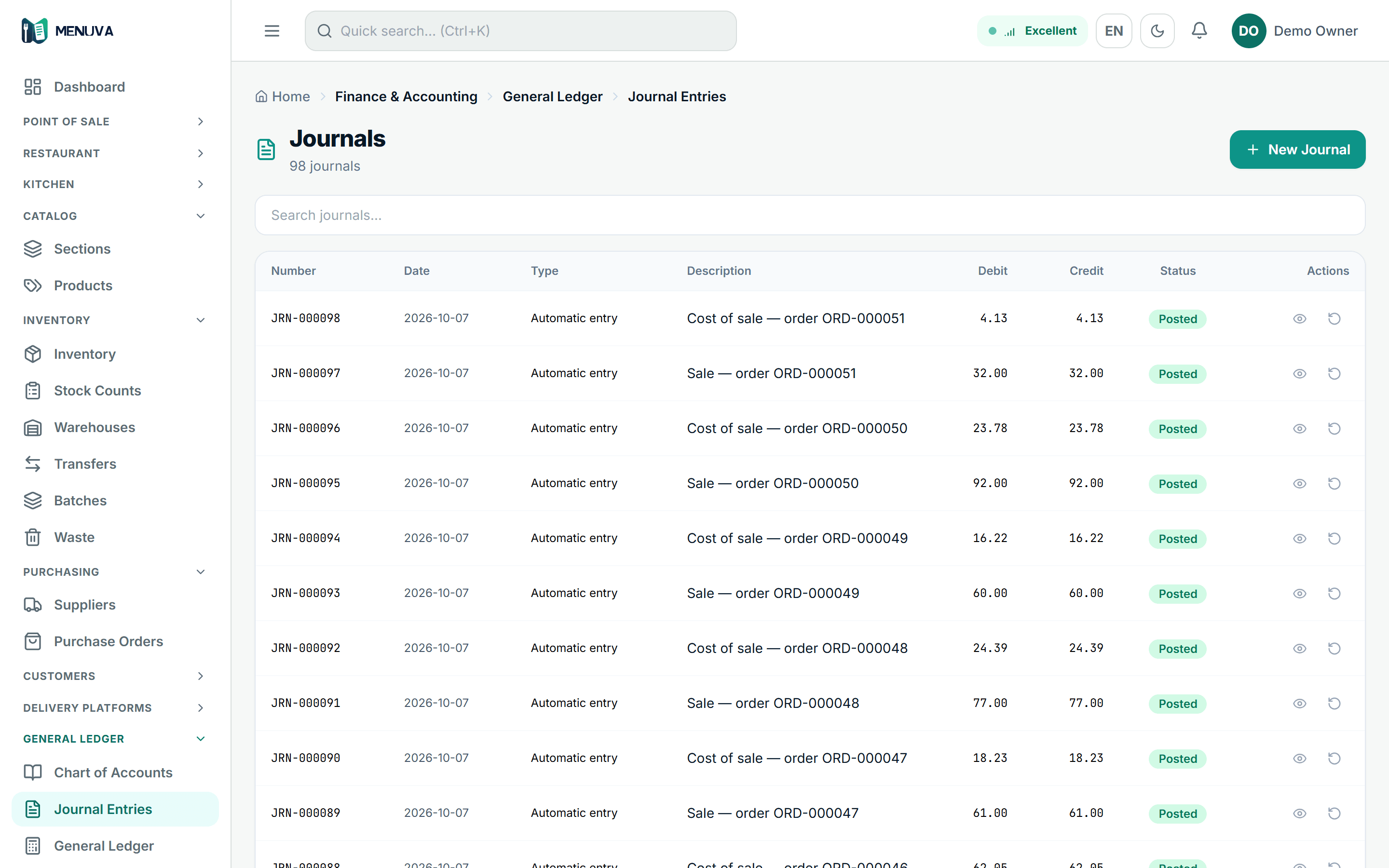
What happens today
Sales live in the till, purchases in the invoices, and the accountant re-keys everything into another program at month end — so the figures disagree, and a week goes on reconciling them.
What changes with MENUVA
A chart of accounts with restaurant templates, and journals posted by the operations themselves. A posted entry is never edited, only reversed. Fiscal periods open and close; suppliers carry bills, payments and payables ageing; bank accounts carry receipt and payment vouchers and reconciliation; expenses go through approval. Every paid order gets a simplified tax invoice with a QR code.
POS flow
From opening the shift to the journal entry
01Open the shift
With a declared cash float.
Leaves: Shift open
02The sale
Dine-in, takeaway or delivery; price and VAT from the server.
03Payment
Cash, card or transfer, or split.
Leaves: Paid
04The kitchen
The ticket on the kitchen screen, longest-waiting first.
05Accounting
Revenue, VAT and cost of sales post automatically.
Leaves: Posted
And at close: a cash count, with a manager-approved reason for any difference.
You close the month on figures that agree with operations, with no export and no reconciling.
No second keying of sales or purchases.
Entries that cannot be changed after the fact.
Financial statements from the same data the restaurant runs on.
What it covers
- A restaurant chart of accounts
- Ready templates and posting profiles.
- Automatic journals
- Sale, cost of sales, receipt, transfer, count, waste, refund.
- Financial statements
- General ledger, trial balance, income statement, balance sheet, cash flow.
- VAT summary
- From the same posted entries.
- Fiscal periods and closing
- Roll the next period forward and close the year.
- Suppliers and payables
- Bills, payments, ageing.
- Banks and reconciliation
- Receipt and payment vouchers, bank reconciliation.
- Simplified tax invoice
- With a QR code on every paid order, and a credit note on refund.
Part of the same workflow
- Reports →Reports are built from the same data the restaurant runs on: sales by shift, day and branch, best sellers with their margin, peak hours, stock movement and value, and the financial statements.
- Purchasing →A purchase order per supplier names where it will be received; on receipt the quantity enters that location, the cost updates at what you actually paid, the journal posts, and the order becomes a supplier bill and a payment.
- Shifts and business day →The MENUVA till takes no sale without an open shift. A shift opens with a declared cash float and closes with a count of expected against counted, and any difference needs a reason. The business day has a cutoff you set, and the owner or a branch manager closes it.
How does accounting connect to sales?
Every paid sale posts its own double-entry journal automatically: the revenue and the VAT, and the cost of sales from the recipe.
So do purchase receipts, transfers, count differences, waste and refunds. Posted entries are never edited, only reversed, and they build the general ledger, trial balance, income statement, balance sheet, cash flow and VAT summary, with fiscal periods, closing, and supplier bills and payments. Every paid order gets a simplified tax invoice with a QR code. There are no sales on credit, so there are no customer receivables.
Every MENUVA answer →Try it on your restaurant.
14 days free, with no bank card.