QR ordering
Let your guest order for themselves — and the till knows at once.
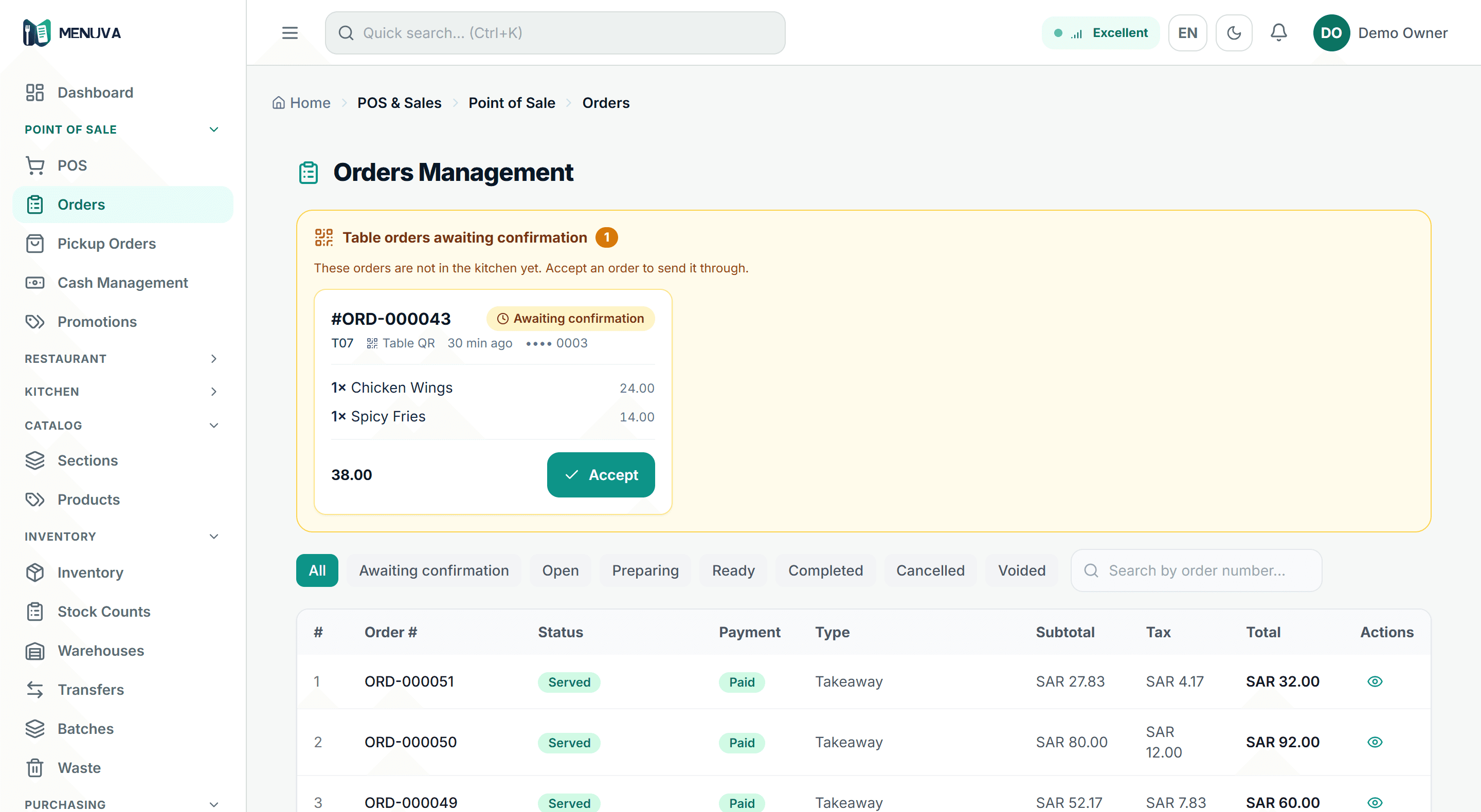
The guest scans the table's code with their phone camera and orders with their Saudi mobile number — no app, no account. The order reaches the till against that table for staff to confirm, then goes to the kitchen; each guest keeps a separate check settled with one invoice.
What happens today
At the rush a guest raises a hand and nobody sees it. A waiter walks the menu over, the order goes onto paper, and sometimes it is forgotten or written wrong. The guest who wants one more dish, or the bill, waits until someone passes.
What changes with MENUVA
The guest scans the code on the table with their phone camera — no app and no account, just their Saudi mobile number. They see the menu with prices and detail, choose, and send. The order appears on the till against its table number and staff accept it with one tap. From the same screen they can also call a waiter, ask for the bill, or ask for the card machine; payment itself is taken by staff.
Table QR flow
From scanning the code to the invoice
01Scan the code
With the phone camera, no app.
Leaves: Table T010
02The menu
Photos, prices and modifiers, in Arabic or English.
03The guest orders
With their Saudi mobile number, which opens their check at the table.
Leaves: Check open
04The restaurant's workflow
Staff confirm the order, and it appears on the kitchen screen.
Leaves: Preparing
05The invoice
The guest asks to pay, staff take payment: one simplified tax invoice for their check.
Leaves: Settled
No online payment from the menu: staff take payment by cash, card or transfer.
More accurate orders, faster service, and staff serving instead of chasing.
Orders arrive exactly as the guest chose them, with no transcription errors.
Waiters serve tables instead of writing orders down.
A separate check per guest ends the argument over the bill.
What it covers
- A menu with no app
- A phone camera and a Saudi mobile number. No download, no account.
- The order lands on the till
- It appears against the table within seconds.
- One more round
- The guest orders again without starting over.
- Waiter and bill requests
- Staff see the table and how long it has waited.
- Card machine request
- An operational request only — it never marks the order paid.
- An alert you can hear
- A distinct tone per request type, set in Settings.
Part of the same workflow
How does QR ordering work?
The guest scans the table's QR code with their phone camera and orders from the menu with their Saudi mobile number — no app and no account — and the order reaches the till against that table.
Staff confirm the order according to the restaurant's settings, and it goes to the kitchen. Each guest at the table has their own open check that later orders join, and can call a waiter or ask for the bill or the card machine. Payment is taken by staff — there is no online payment from the menu — and settling a check produces one invoice for it.
Every MENUVA answer →Try it on your restaurant.
14 days free, with no bank card.