What is MENUVA?
MENUVA is a cloud platform for running restaurants and cafés. It connects the till, orders, the kitchen, stock, branches and the books in one system.
The full answer →Restaurant and café operations
Point of sale, QR ordering, the kitchen, stock, branches and accounting, connected: one sale reaches the kitchen, draws down stock and posts to the books.
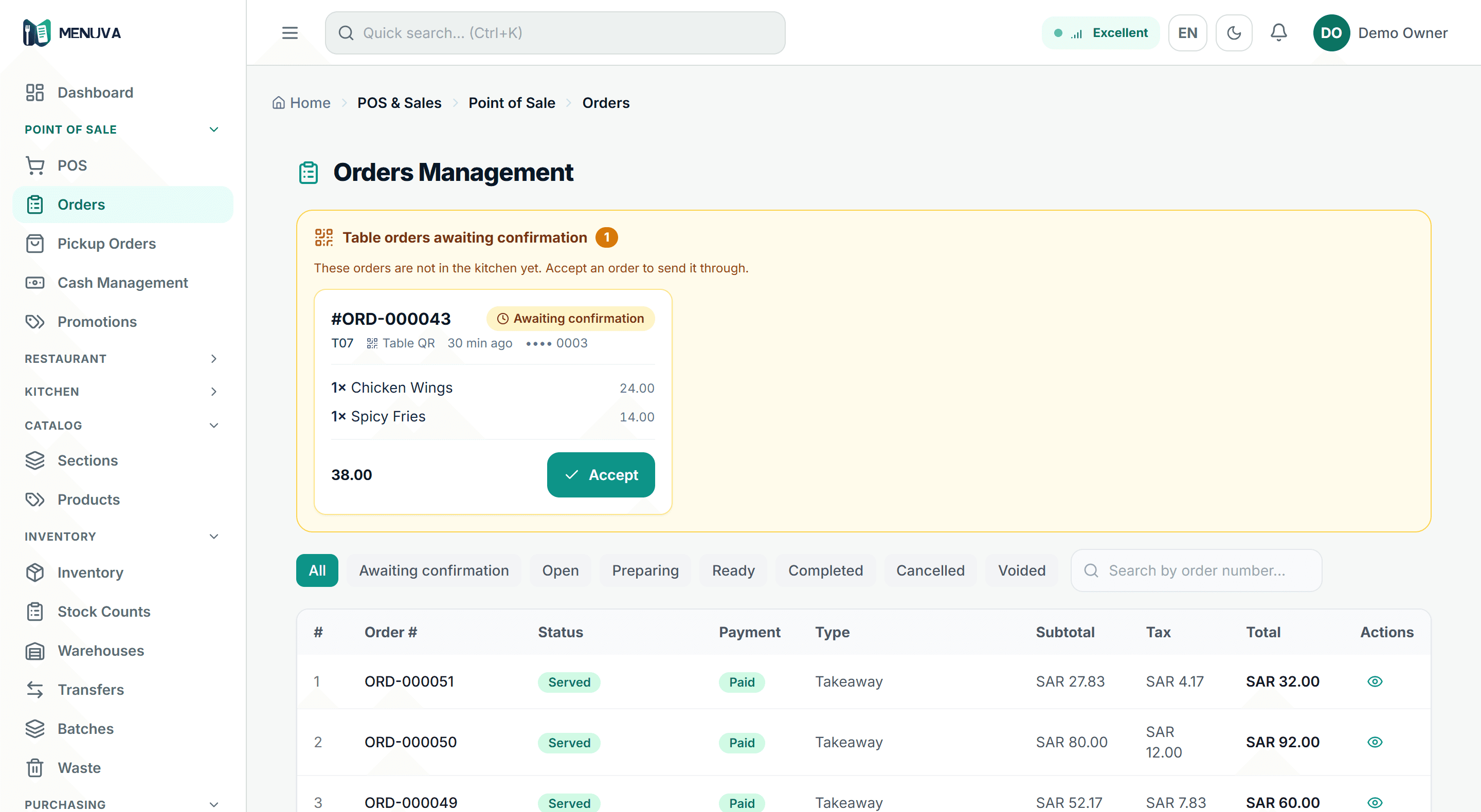
MENUVA is more than a POS.
One cloud platform that connects the till, orders, the kitchen, stock, branches and the books.
The till is one part of it. Underneath sit stock for each branch, a central warehouse, transfers, recipes and real cost, accounting and VAT, and your customers — connected to each other, and updated by the same order.
What MENUVA runs
Follow one operation as it crosses the whole restaurant — from the table to the books.
The guest orders. The kitchen knows. The stock moves. The books update.
QR ordering
ScanOrderDone
No app for the guest to install. They scan the code on the table, order with their mobile number, and ask for the bill or a waiter — all of it reaches the till against the table. Staff take the payment.
Opening the menu…
MENUVA Demo Restaurant
Olaya Branch
Table T010The guest scans the MENUVA code on the table, the menu opens showing the restaurant, branch and table number, they browse categories and dishes with prices, choose an item and add it to their order, review the order and its total, enter their mobile number so the order is tied to their own check at the table, and send it — where it reaches the till and the kitchen.
One order — through the till, the kitchen, the stock and the accounts, without anyone keying it again.
One order moves through six places in the restaurant: the guest scans the table code, sends their order, it reaches the till, a ticket appears in the kitchen, the dishes' ingredients come off that branch's stock, and revenue, VAT and cost of sales are recorded in the accounts.
A real MENUVA code — try scanning it. It is the same kind of code that goes on your restaurant's tables.
One table, separate bills
Each guest scans the code and orders with their own mobile number. Their check stays open: they can add more through the evening, see what they already ordered, and ask to pay when they are ready — without their bill mixing with the person next to them.
Guest 1
•••• 4567
Has not ordered yet
Guest 2
•••• 8877
Has not ordered yet
Guest 3
•••• 2210
Has not ordered yet
Guest 4
•••• 5031
Has not ordered yet
Table 7 is available
Four guests at one table, each with an independent check. A check opens when that guest orders, and Guest 3 adding more changes only their own. When Guest 4 asks to pay, only their state changes and the table stays occupied; the table becomes available only once the last check settles.
Point of sale and shifts
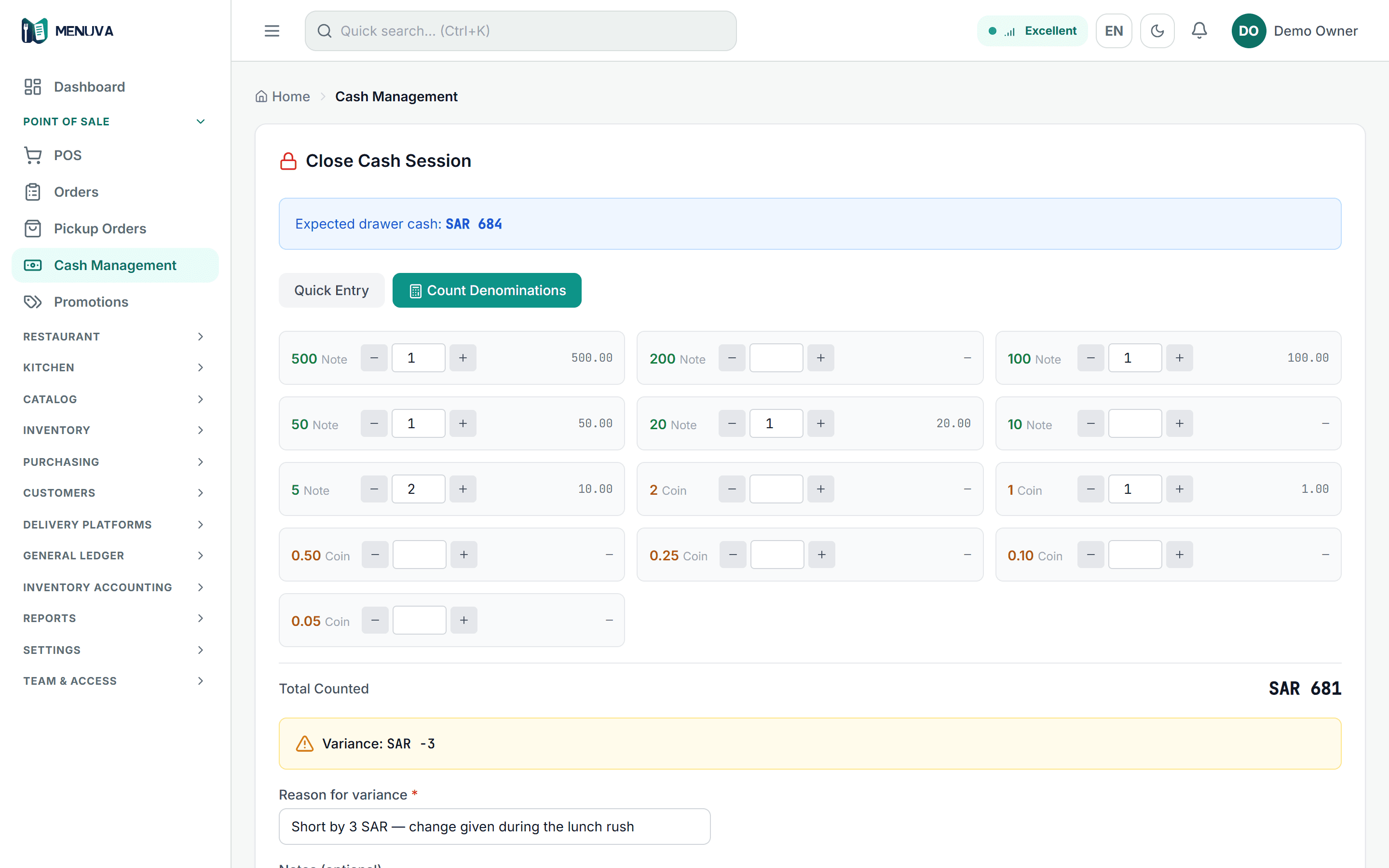
Dine-in, takeaway and delivery from one screen, price and VAT from the server, payment by cash, card or transfer. A shift opens with a declared float and closes with a count, and any cash difference needs a reason a manager approves.
POS flow
01Open the shift
With a declared cash float.
Leaves: Shift open
02The sale
Dine-in, takeaway or delivery; price and VAT from the server.
03Payment
Cash, card or transfer, or split.
Leaves: Paid
04The kitchen
The ticket on the kitchen screen, longest-waiting first.
05Accounting
Revenue, VAT and cost of sales post automatically.
Leaves: Posted
And at close: a cash count, with a manager-approved reason for any difference.
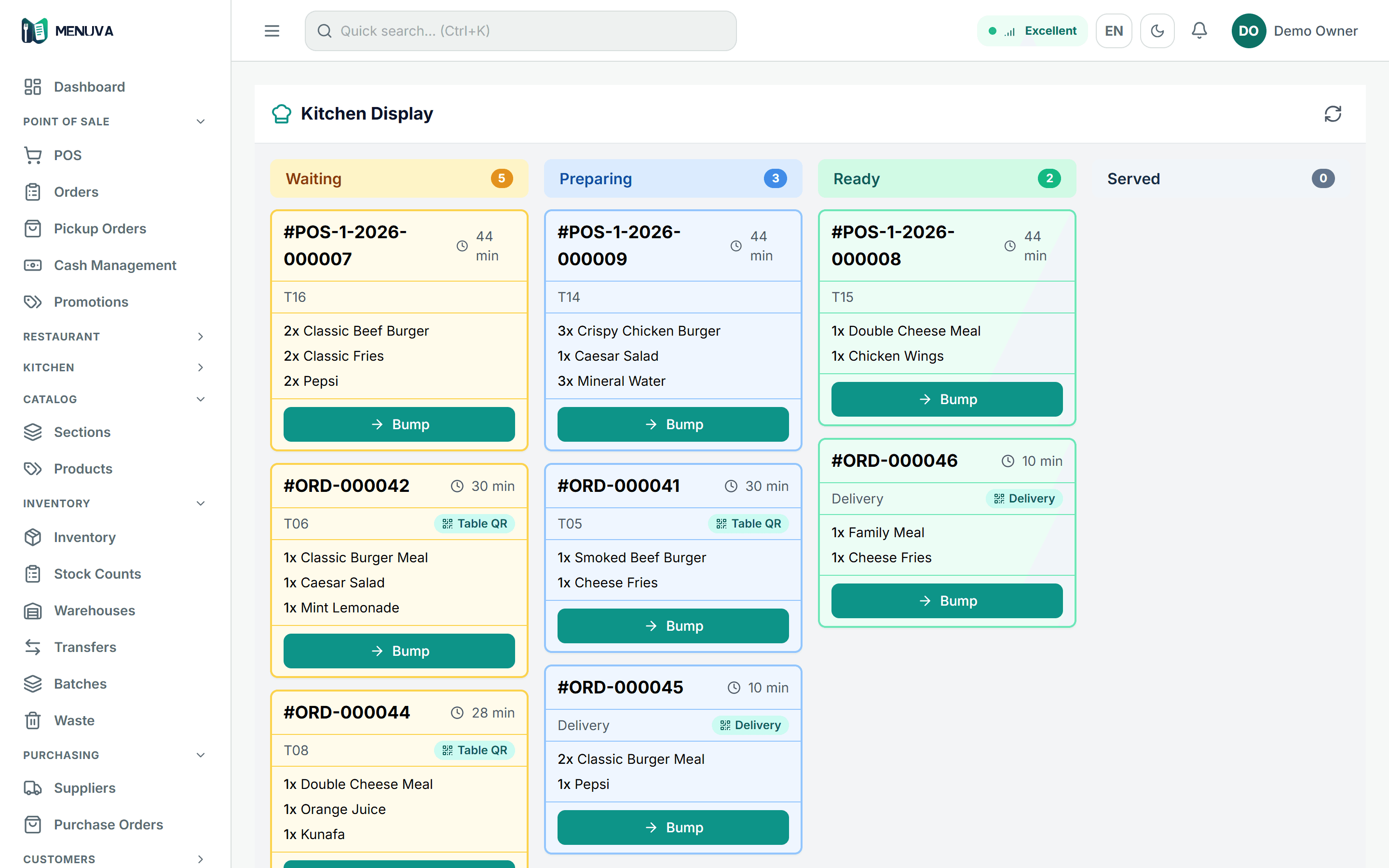
Kitchen
One kitchen screen shows till orders and QR orders together, ordered by how long they have waited, and the team moves an order — or a single item on it — through the preparation states to served.
Kitchen display →Inventory and recipes
A balance per location, a recipe per dish that costs it and shows its margin, and every sale drawing its ingredients from the selling branch's stock.
Stock flow
01Purchase
A purchase order naming where it is received.
02Warehouse and stock
Receipt enters the location and updates the average cost.
Leaves: Location balance
03The recipe
The dish's ingredients and quantities, costed by the server.
04The sale
The dish sells at the branch.
05Consumption
The ingredients come off the selling branch's stock.
Leaves: Cost of sales
06Reporting
Stock movement and value, and each item's margin.
Counting while you trade
In most systems a count forces an unpleasant choice: close after midnight, stop selling for two hours, or live with figures nobody trusts. In MENUVA you count a branch or a warehouse while the restaurant trades — sales, transfers and deliveries carry on as normal while your team counts the shelves.
The restaurant keeps running. So does the count.
At the moment you post, MENUVA compares what you counted against the authoritative balance right then — not against a figure captured when the sheet was opened. Movements that happened while you were counting are neither double-counted nor erased.
The sheet still stays under your eye: you review the variances and approve them yourself before any balance moves.
Guided stock count
In most systems a "count" is a screen where you type a new number over the old one. In MENUVA it is a worksheet: you pick one location, the system shows its balance, you enter what you actually counted, and it works out the difference.
You start a count and the system says 20. While you are counting, the till sells 2. You count 18 and enter it. A naive system subtracts another 2 and lands on 16 — two items gone because somebody sold while you were counting. MENUVA posts to the figure you counted, not to a difference measured against a stale balance. The result is 18, which is the truth.
Warehouses and branches
Every location holds its own stock. Goods move between them as a document, and sit in transit until the receiver confirms.
WH-CENTRAL
420kg
WH-OLAYA
60kg
WH-NARJIS
45kg
Each location with its own balance
Every location holds its own stock. The central warehouse dispatches forty kilograms to the Olaya branch; the quantity sits in transit, owned by neither, until receipt is confirmed and Olaya's balance becomes one hundred. Al Narjis does not change, because nothing happened there. The company total is an aggregated report, not a location anything can be shipped from.
Multi-branch operations
Every branch sits in one account with its own stock, staff and orders. The server keeps an employee out of other branches' data, and management sees every branch and compares them.
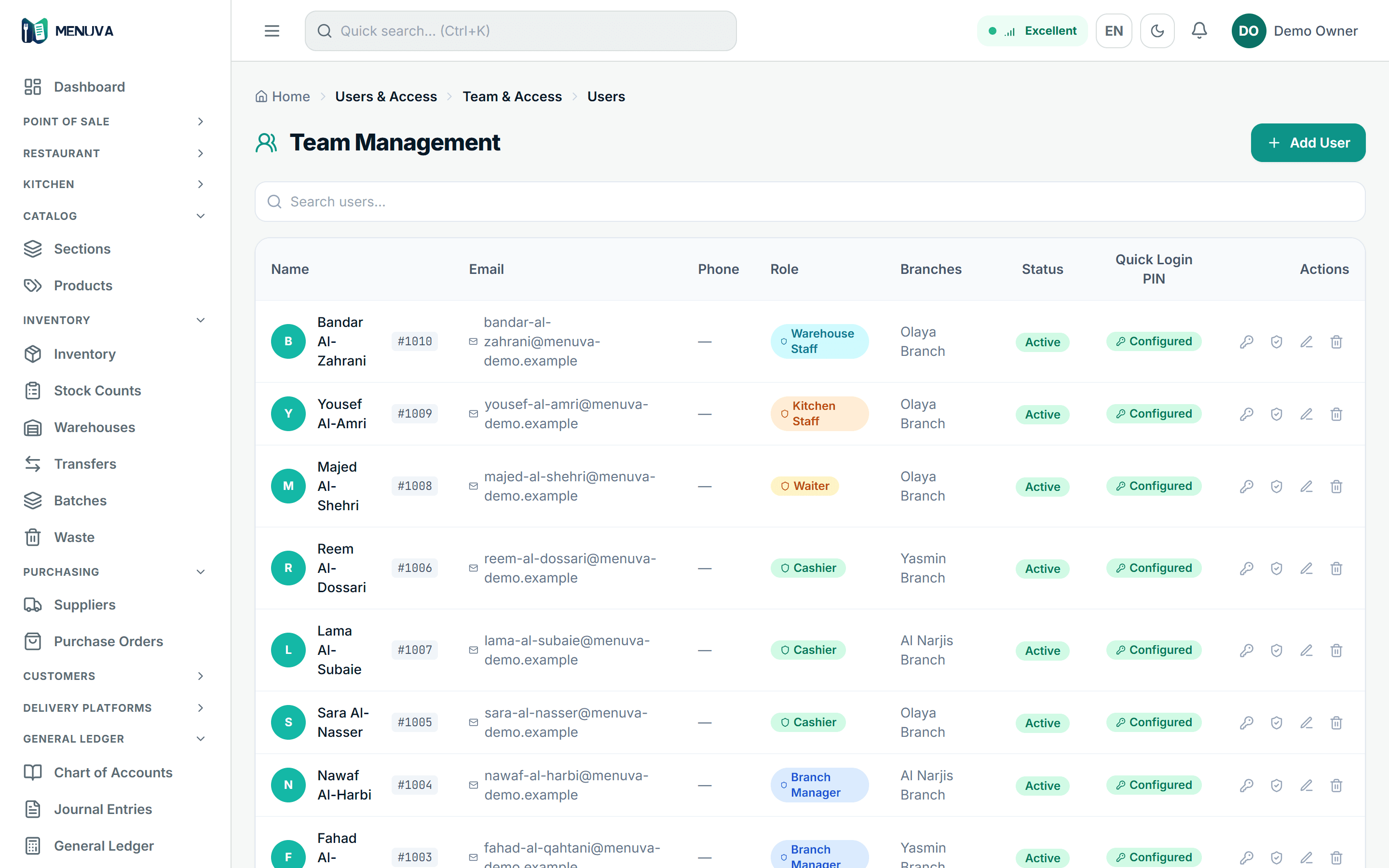
Languages in the app
Kitchens in Saudi Arabia rarely speak one language. In MENUVA each member of staff picks their own interface language, on the same data, the same permissions and the same shift. Arabic and English cover the whole system; Hindi and Urdu cover the core staff screens.
Language is a per-user setting, not a restaurant-wide one. Changing it changes nothing about what someone can reach — roles and branches stay exactly as they were.
These are the languages of the MENUVA application itself. This website is published in Arabic and English.
Accounting
The sale writes the revenue and the VAT; the recipe writes the cost of sales. No second keying, no monthly export. Every paid order gets a simplified tax invoice with a QR code.
Nobody wrote this entry. The sale wrote the revenue and the VAT, the recipe wrote the cost of sales — and the debits equal the credits.
One sale produces a balanced journal entry: cash debited 46.00, revenue credited 40.00, VAT payable credited 6.00, cost of sales debited 13.40 taken from the recipe at that branch's average cost, and inventory credited the same. Debits equal credits and the difference is zero.
Delivery
In MENUVA delivery orders are entered at the till with the platform's name and the order reference, then each platform's account is settled under your own contract with it: commission, fees and a settlement cycle, with its statement imported and reconciled. There is no direct connection to delivery apps.
Delivery management →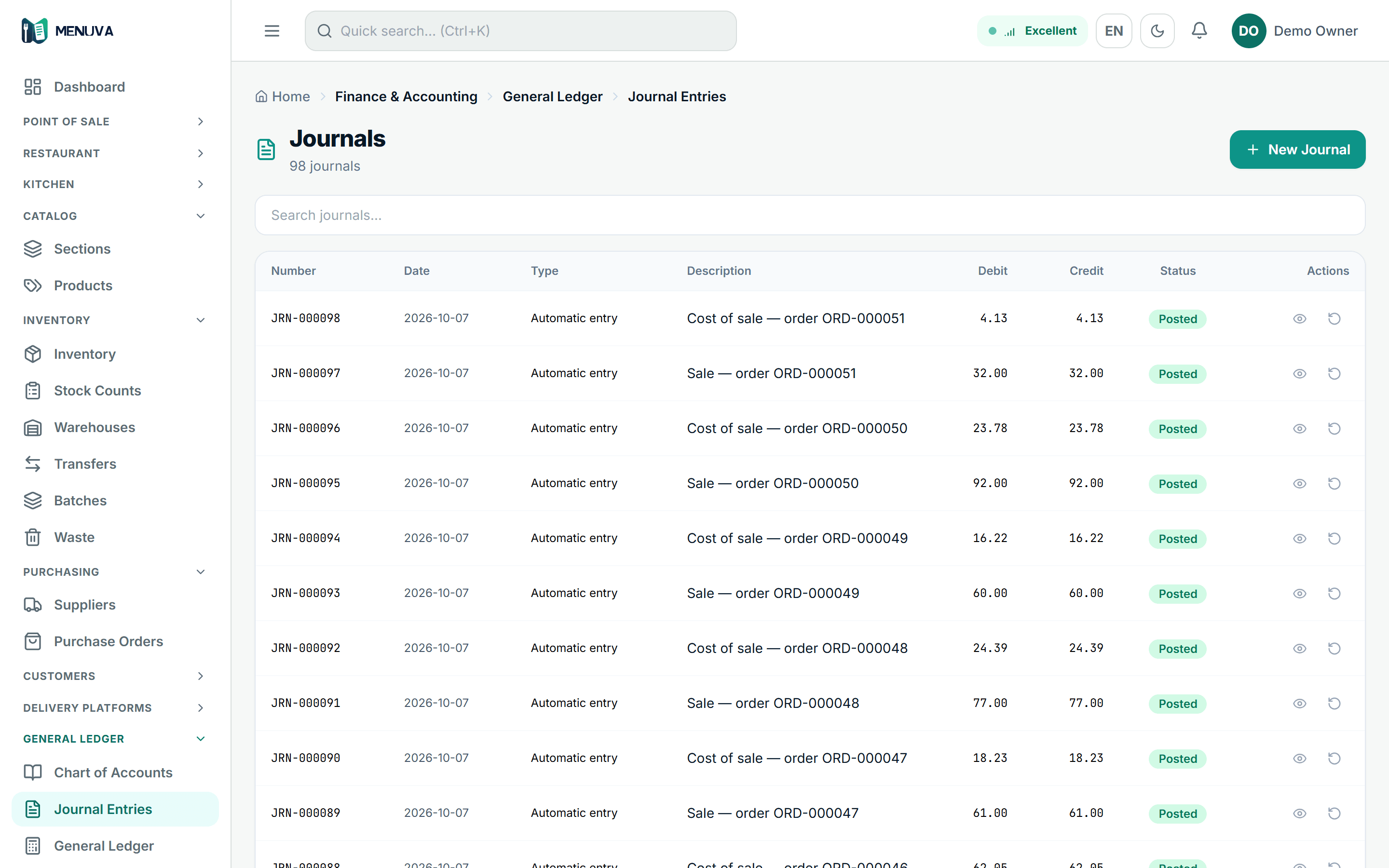
Reports
Reports are built from the same data the restaurant runs on: sales by shift, day and branch, best sellers with their margin, peak hours, stock movement and value, and the financial statements.
Reports →Your customer database
Every order that carries a mobile number builds you a real customer record: who ordered, how often, how much, and from which branch. And because the record is real, the boundary around it is real too.
Kept because the guest ordered with it: it ties their order to their check and lets you recognise a returning customer. That is an operational use.
A separate thing entirely, recorded only on the customer's explicit agreement. Without it the number enters no campaign — and its presence in your database does not change that.
We say it plainly because confusing the two is how a restaurant ends up sending messages nobody asked for.
Getting set up
What stalls a new system is never the system. It is the empty account. You send us your restaurant's data, the MENUVA team helps prepare and enter it, and the account reaches you far closer to ready.
In whatever form you have it — a spreadsheet, a printed menu, even photographs.
The team agrees the scope of the setup with you before starting.
You do not start from an empty page. You start from your restaurant as it already is.
From signing up to service
This is the whole path — no surprises, and nobody leaves you alone at any step of it.
By how many branches and users you have.
In whatever form you have it.
Branches, warehouses, users, VAT.
Menu, prices and opening stock.
Each role on their own screen.
Reviewed with you before handover.
Your first shift on MENUVA.
After you go live, not only before.
Training
A cashier does not need the accounting screens, and a storekeeper does not need the order queue. The MENUVA team helps each group understand and operate the part they actually work in.
Reading reports, following branches, cost and margin, permissions, and restaurant settings.
Opening and closing a shift, orders, an open check per guest, discounts, refunds, and the invoice.
Receiving and purchasing, transfers between the warehouse and branches, and a guided count on a tablet.
The kitchen display, QR orders, tables, and guest requests during service.
Training happens on your own account with your own data — not on a demo account that looks nothing like your restaurant.
Support
24/7 support — because your restaurant does not close.
Restaurants run at night, on weekends, and through Ramadan. The shift where you need help is rarely ten in the morning — so support is there around the clock, every day of the week.
Support is available around the clock. We do not advertise a guaranteed response time or a service-level agreement — we would rather not promise what we have not formally committed to.
Pricing
Start with a 14-day free trial, no bank card. Prices exclude VAT.
One restaurant, run properly from day one.
A clear price for each branch — you know the cost before you open the next one.
For requirements neither Starter nor Growth fits — priced to your size.
Questions answered
MENUVA is a cloud platform for running restaurants and cafés. It connects the till, orders, the kitchen, stock, branches and the books in one system.
The full answer →Restaurants, cafés, quick-service restaurants, cloud kitchens and multi-branch restaurant groups in Saudi Arabia.
The full answer →A device with a modern web browser — a computer or a tablet — and an internet connection. MENUVA is cloud-based and does not work offline.
The full answer →MENUVA Partner Program
Expand your business with MENUVA. Help restaurant operators modernise how they work, through a commercial partner program built for companies and professionals.
Referral Partner
You introduce a customer; we take it from there.
Reseller Partner
You sell MENUVA on contracted partner pricing.
Authorized Partner
A higher tier, after qualification and performance.